Hi!
I’m happy to welcome you to UX & AI Bites, episode 15. 👋
The topics I have for you in this issue are:
- What can we learn from Kaubamaja’s e-shop checkout?
- Why should you try ChatGPT Atlas?
- Which AI models are available in Figma Make for vibe coding?
- Why did the White House bring back the Times New Roman font?
- What can we learn from Smart-ID’s help pages?
1. What can we learn from Kaubamaja’s e-shop checkout?
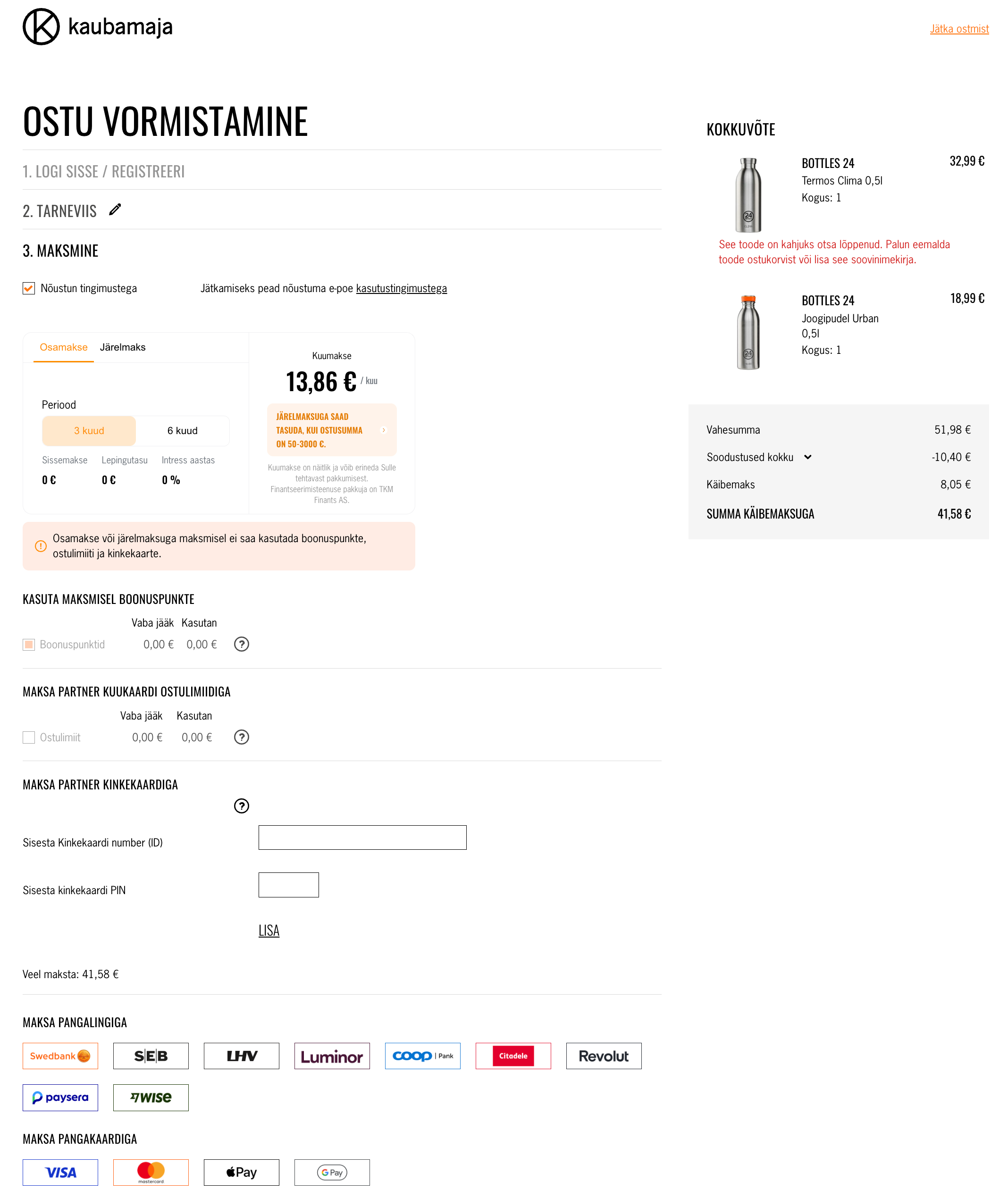
When making a purchase in the Kaubamaja e-shop, I ran into several obstacles. At first, it felt like I was placing the order using installment payments, because — as you can see in the screenshot — it was designed as a highly attention-grabbing block placed at the beginning of the “Payment” (in Estonian, “Maksmine”) section. I thought I must have selected the wrong payment option, since this was the first thing I saw before scrolling down the checkout page.
It took a bit before I realized that I hadn’t made any wrong choice at all — it was essentially just an offer. After scrolling down the page, I found the other payment methods.
I was happy to see Apple Pay in the list, since I use it conveniently on both my iPhone and Mac. But that excitement didn’t last long: when I clicked the button, a page opened saying that this payment method was actually not supported.
When I went back, I was told that one of the products I wanted to buy was out of stock. Ironically, it was still reserved for me, because an unpaid order had been created in the background, which I then found on my orders page.
The real problem was that this leftover order could not be paid at all — there were no payment methods available. I refreshed the order page several times, hoping the payment buttons would magically appear. Unfortunately, that “spell” didn’t work.
I took a deep breath and contacted customer support. A couple of hours later I got a reply: “We have canceled the order that was left incomplete due to a failed payment, and the product will be released from your cart reservation within about 15 minutes.”
In the end, I was able to complete my purchase — and even got this customer experience story as a bonus.
2. Why should you try ChatGPT Atlas?
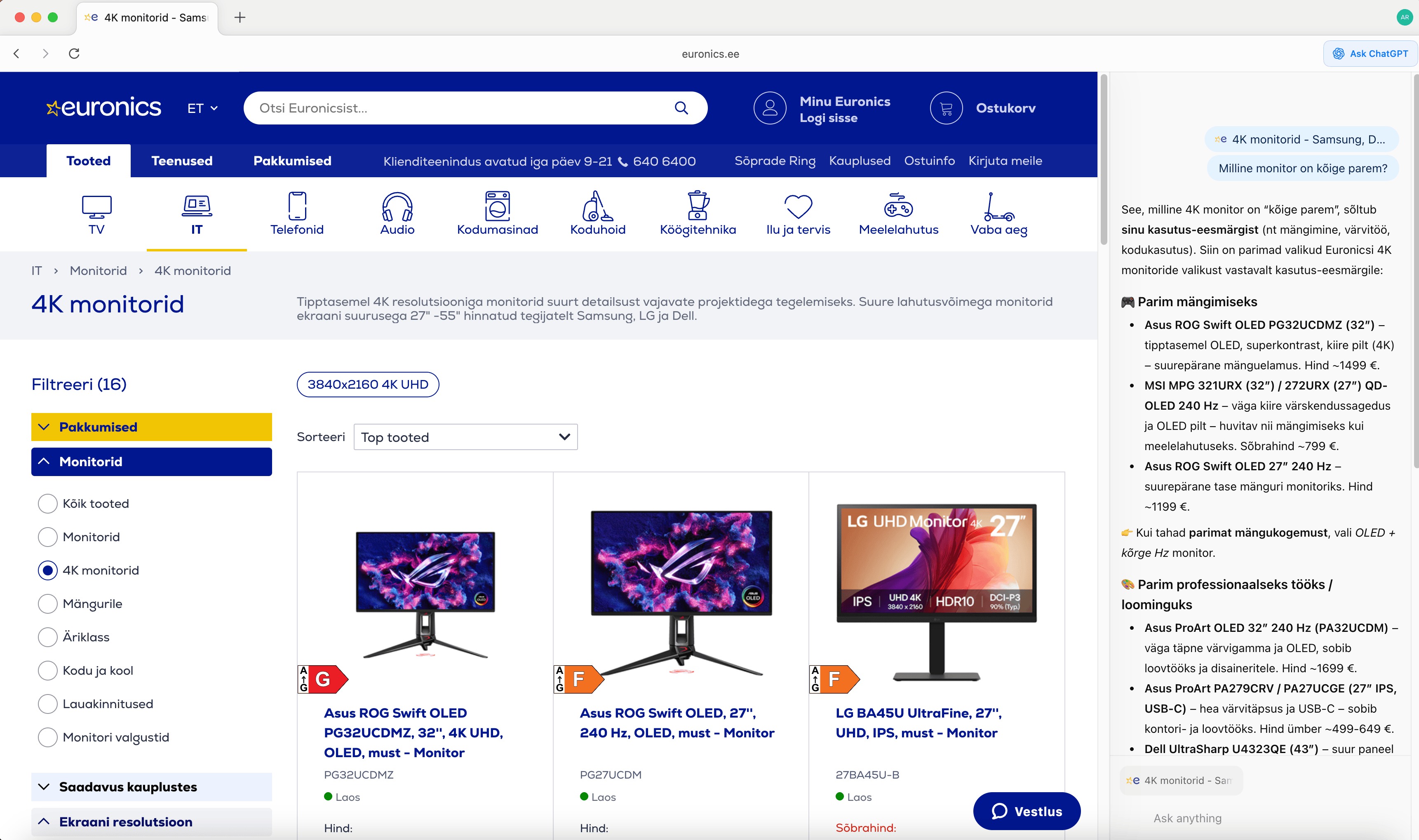
ChatGPT Atlas is a web browser that, unlike a traditional browser, comes with ChatGPT built in.
What I like about it is that while browsing a website, I can ask the AI questions based on the content of that page. As you can see in the screenshot above, while I was in the Euronics online store, I asked ChatGPT which monitor it would recommend. That’s how I started a conversation to discuss the pros and cons of different monitors.
You can also use an AI agent that performs actions on your behalf. Try this exercise: go to your favorite online grocery store, enter your shopping list into the chat, and tell the AI to add all the items to your cart. See what happens. 🙂
3. Which AI models are available in Figma Make for vibe coding?
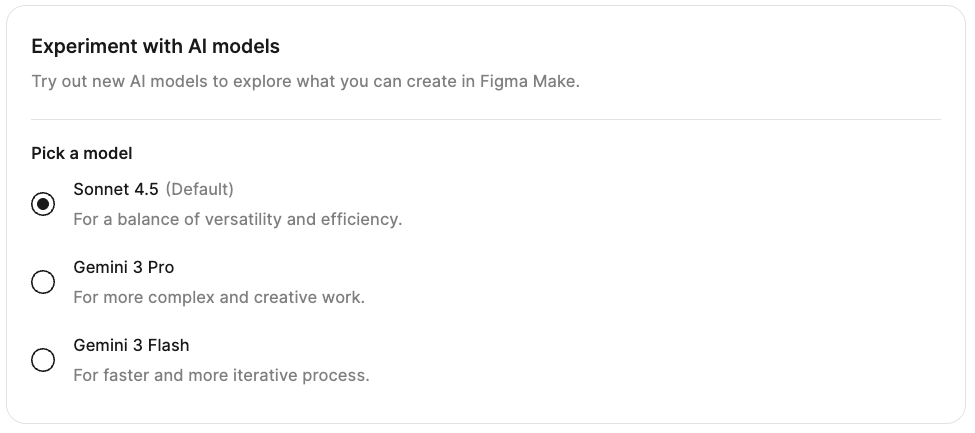
Figma Make is a vibe-coding tool that lets you create prototypes and websites by having AI write the code and generate the design. Your role is to talk to the AI and guide it toward the result you want.
By default, Figma Make uses the Claude Sonnet 4.5 model, but you can also choose Gemini 3 Pro or Gemini 3 Flash. Interestingly, the lighter and faster Gemini 3 Flash sometimes produces better-looking visual designs.
To change the model, you first need to create a Figma Make file. After that, you can switch models in the settings. You can also switch between AI models while you’re working on the project, whenever you feel the need.
💡 If you’re interested in vibe coding, join the training (currently in Estonian). You can also explore our UX / UI and AI design courses: in English or in Estonian.
4. Why did the White House bring back the Times New Roman font?
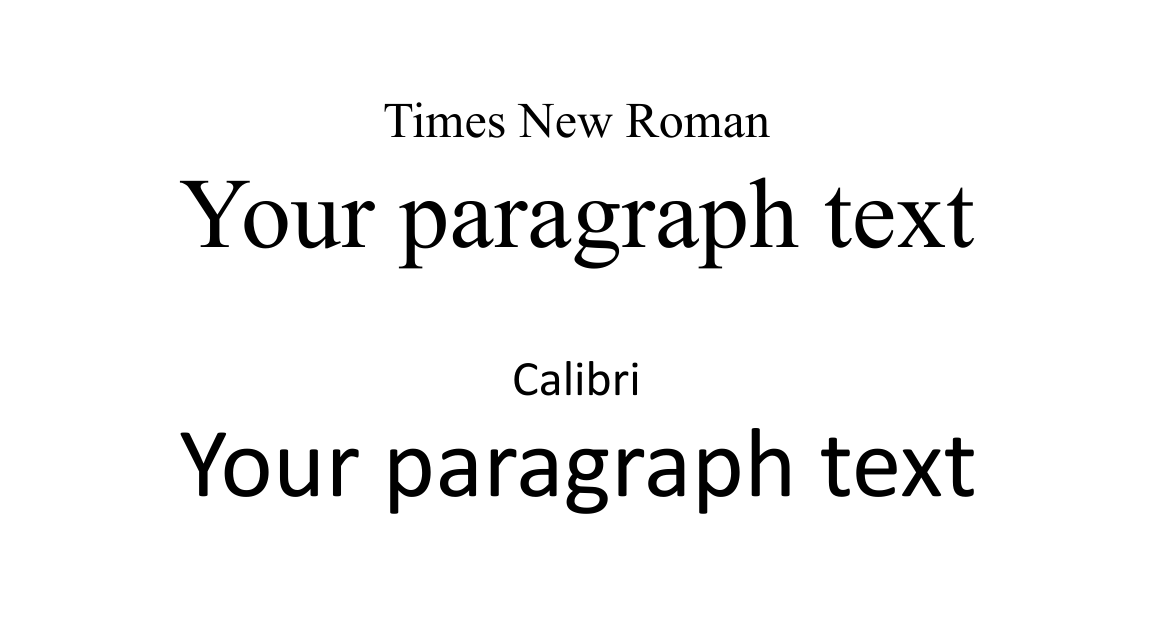
The White House decided to replace the Calibri font, which had been in use since 2023, with Times New Roman. According to the current administration, Times New Roman is a more formal and professional font for official documents.
One advantage of Calibri, however, has been its readability on computer screens, especially for people with poorer eyesight. That is why the previous administration introduced this change in the first place.
What makes this especially interesting is that it brings us back to UX & AI Bites No. 5, where I wrote about an Adobe study exploring how Americans perceive different fonts.
A brief summary of the Adobe study: 1,000 Americans took part in the research. For the study, emails were created using 13 different fonts. The results showed that Americans considered Times New Roman their favorite font (27%), followed by Calibri (16%) and Helvetica (12%). Even more interestingly, Times New Roman was the favorite of Generation Z. You can revisit how different generations are defined today in UX & AI Bites No. 7.
5. What can we learn from Smart-ID’s help pages?
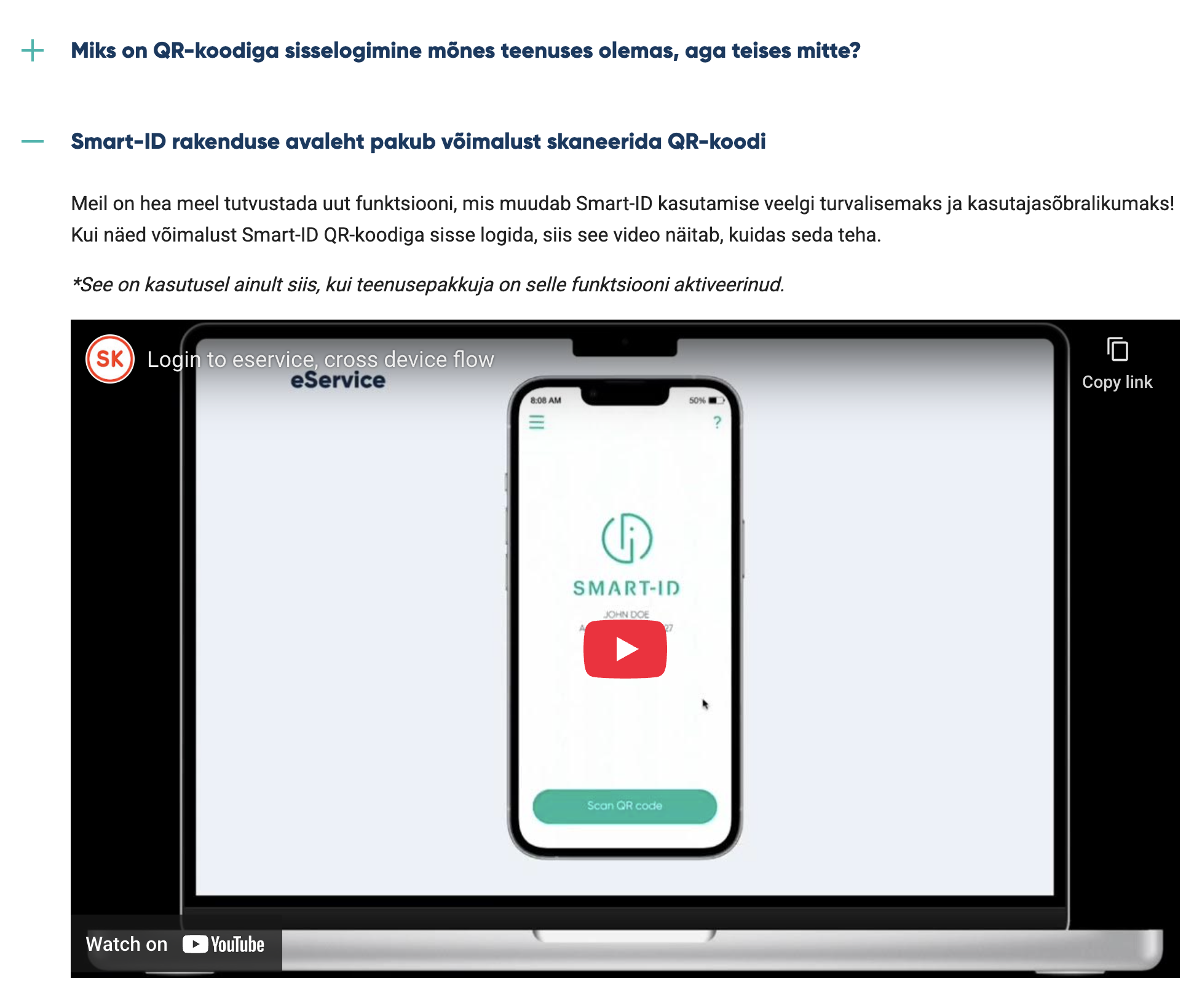
In the Smart-ID FAQ section, I was disappointed to see that the tutorial videos meant to explain the more secure Smart-ID+ solution were in English on the Estonian-language page. This approach does not align with the principles of inclusive design.
For example, under one section there was the following text in Estonian: “If you see the option to log in with a Smart-ID QR code, this video will show you how to do it.” However, the video itself was in English! On top of that, the video had no subtitles or audio description, which are essential from an accessibility point of view.
Smart-ID is a widely used and convenient way to log in to digital services in Estonia. Unfortunately, scammers also take advantage of this convenience, and Estonians have lost millions of euros to fraud. This is not directly Smart-ID’s fault.
However, it is important that our homegrown Smart-ID solution does everything it can to keep users safe — and one important part of that is providing clear and easy-to-understand help information.
Thank you for reading to the end! High five. 🙌